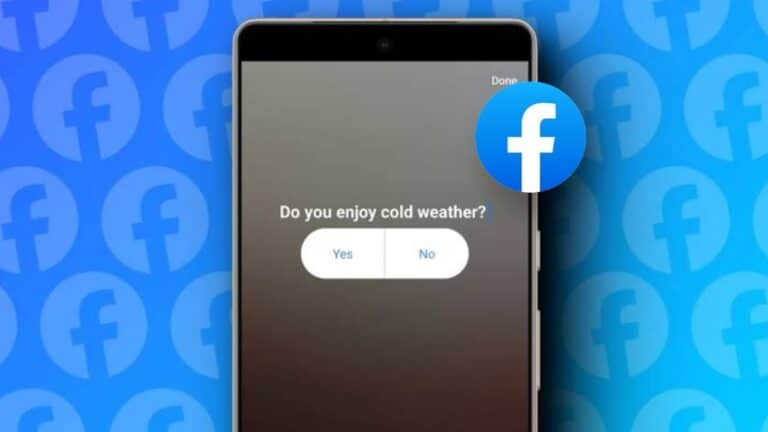
If you are looking for ways to make your Facebook page more engaging for your clients or audiences, it is time to learn how to create Facebook polls. Be it an advertising or marketing plan, you can make it more interactive by organising polls on Facebook.
You will also understand the inclination of the market and the needs of consumers by analysing those poll results. We have come up with three ways, using which you can create Facebook polls. But before moving, let’s first understand what Facebook polls mean.
also read: How to Find Your Facebook Username: A Step-by-Step Guide
Facebook poll – Ask Questions Publicly
It is one of the Facebook features where you can ask questions and provide answer options to your friends to choose one of them.
You can also give them an option to enter text in a prompt for a specific period. After the poll deadline finishes, you can see its results.
In Facebook polls, you can provide two answer options to users. Earlier it was possible to add polls on your news feed as well, but this option is no longer available. You can also add Facebook polls when you are live.
Ways to Create Facebook Polls
Add a poll to the Facebook story
As you know Facebook stories are available for 24 hours. You can add a poll to them asking questions. The deadline for such polls will be the same as your stories. You can use the below steps to add a poll to the story:
- Launch the Facebook app and click the Plus icon to add a story.
- Select the background image or video of the story and tap the next arrow.
- Click the sticker icon available at the top right corner and select Poll Option.
- You can type a question and add answers if needed.
- Click on the blue share button at the bottom right corner of the screen to add a poll to your story.
Create Polls in Facebook Groups
If you want to take the views of a group member on some topic, you can create a poll and share it with them. You can use the below simple steps to share polls on Facebook groups using the desktop or mobile app.
On Desktop:
- Open the Facebook website and go to the group where you want to share the poll.
- Tap on the text prompt and select Poll from the bottom menu.
- You can write questions and add answers to them.
- To send it over, click on the Post button.
On the Mobile App:
- Launch Facebook and navigate to the group page where you want to post it.
- Swipe up to find the Poll option.
- You can now write poll questions and add answer options to it.
- Click the blue Post button from the top right corner.
Create and Share Poll on Facebook Messenger
If you want to share Polls with your friends, you can create them on the Messenger app and share the poll with them. Here is how to create a poll on Facebook Messenger:
- Launch Messenger and click on the camera icon from the top panel.
- Add a background photo or image. However, it’s optional.
- Click the Stickers icon from the side Panel and select Polls.
- Add a question and optional answers, and Tap Done.
- You can now click the share icon and choose the friends you want to share this poll.
Wind Up
We hope now you know how to create Facebook polls next time you wish to use this feature. You can create polls for fun, to promote or advertise a product.
But make sure you are properly structuring your questions, drafting relevant questions, promoting the poll, analyzing the results, reviewing them when they are active, and encouraging your friends to actively participate.