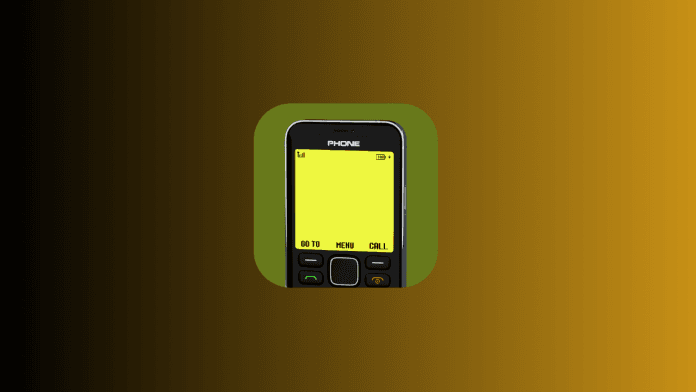
Remember the simplicity of old-school Nokia phones? The sturdy design, the satisfying click of buttons, and the iconic Snake game? If you miss the charm of classic mobile devices, the Nokia 1280 Launcher App is here to bring back that nostalgia. This app transforms your modern smartphone into a retro Nokia phone, blending yesterday’s simplicity with today’s technology. Let’s explore how this app works and why it’s perfect for anyone craving a digital detox.
What Is the Nokia 1280 Launcher App?
The Nokia 1280 Launcher App is an Android application designed to recreate the look and feel of the classic Nokia 1280 phone. Known for its durability and minimalist design, the Nokia 1280 was a favorite in the early 2000s. This app mirrors its iconic interface, complete with pixelated fonts, basic menus, and even retro-style ringtones. It’s not just a theme—it’s a full launcher that replaces your smartphone’s home screen with a stripped-down, nostalgic experience.
Key Features of the Nokia 1280 Launcher App
- Retro Interface: The app mimics the Nokia 1280’s monochrome display, grid-based menu, and classic icons, instantly transporting you back in time.
- Lightweight & Fast: Unlike most modern apps, this launcher uses minimal resources, ensuring smooth performance even on older Android devices.
- Battery-Saving Mode: With no flashy animations or background processes, it helps extend your phone’s battery life.
- Easy Navigation: Navigate using on-screen buttons that replicate the tactile feel of physical keypads.
- Customizable Themes: Choose from multiple color schemes (like the original blue or classic gray) to personalize your retro experience.
- Classic Ringtones: Relive the era with timeless Nokia ringtones and alerts.
Why You’ll Love This App
- Digital Detox: Tired of endless notifications and cluttered screens? This launcher simplifies your phone to calls, messages, and essentials.
- Perfect for Minimalists: If you prefer a “less is more” approach, the app’s straightforward design eliminates distractions.
- Nostalgia Factor: For those who grew up with Nokia phones, it’s a fun way to reconnect with the past.
- Ideal for Secondary Devices: Use it on an old smartphone as a backup phone for travel, work, or emergencies.
How to Install the Nokia 1280 Launcher App
- Download: Head to the Google Play Store and search for “Nokia 1280 Launcher.”
- Install: Tap “Install” and wait for the download to complete.
- Set as Default Launcher: Open the app, follow the setup prompts, and select it as your default home screen launcher.
- Customize: Adjust settings like theme colors and ringtones to match your style.
Pro Tip: Pair the launcher with a physical keypad case for an even more authentic experience!
Who Should Try This App?
- Retro Tech Enthusiasts: If you collect vintage gadgets, this app is a must-try.
- Seniors or First-Time Users: Its simplicity makes it ideal for those overwhelmed by smartphones.
- Anyone Seeking Focus: Use it temporarily to avoid social media distractions and stay productive.
Final Thoughts
The Nokia 1280 Launcher App isn’t just about nostalgia—it’s a practical tool for simplifying your digital life. While it won’t replace your smartphone’s advanced features, it offers a refreshing break from today’s hyper-connected world. Whether you’re feeling sentimental or just need a break from app overload, give this launcher a try. After all, sometimes the best way to move forward is to take a step back!
Ready to rediscover the joy of simplicity? Download the Nokia 1280 Launcher App today and turn your smartphone into a blast from the past!
How to Change Email on Instagram Like a Pro: A Complete Guide!
How to Detect AI-generated Images: A Complete Guide!
A Quick Guide to Download WhatsApp Video Status
Voice Lock App: Unlock Your Phone with Your Unique Voice
Links:
1. Download the Nokia 1280 Launcher App: Google Play Store
2. Explore Nokia’s Classic Phones: Nokia Official Website
3. Best Minimalist Apps for Android: Minimalist Apps Guide