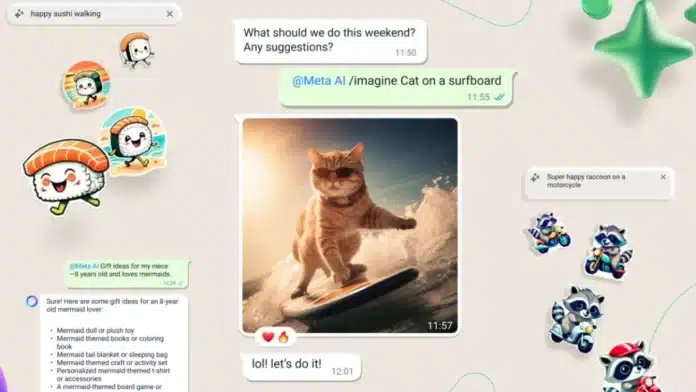
AI is growing at a fast pace in terms of technology and its utility. However, there are not many ways to identify if the data is authentic or AI-generated. With meta-acquired apps now implementing AI-generated videos and images, it becomes hard to distinguish AI-generated images from genuine ones.
And none of the platforms are labelling any image as AI-generated. In this section, we have come up with ways to Detect AI-generated images. You can use some tools and websites specifically designed for AI detection purposes.
also read: How to Block, Report, and Delete Spam on WhatsApp: A Complete Detailed Guide!
How to Use Content Credentials to Detect AI Images
You must have heard about coalitions for content Provenance and Authenticity. If you haven’t, this coalition works on data authentication and identifies if it’s legit or AI-generated.
It has built a tool known as Content Credentials that is specifically designed for image identification.
You need to upload images, videos, or audio files on the platform, and it will help you find its authenticity. Here’s how to use this tool.
- Go to the official website for content credentials. You can type this in your browser and let Google do its work. It is optional to sign in or log off on the tool.
- You will find a button to upload the media files you wish to check.
- Now if the media is AI-generated, it says, “This image is generated with an AI Tool”.
- Please note that the tool only works with actual images. If you are downloading it from some social media or editing, cropping, or tampering with it, the tool will throw an error message saying, “No Content Credentials”.
Additionally, we can confirm that this tool has been tested with images generated by multiple AI image generators.
Even if you change the image slightly and upload it on the tool, it has the functionality to search for similar images.
You can click on Search for Possible matches, and it will show the original AI-generated Image.
How to Check Watermark on AI-generated Images
An alternative to check whether an image is AI-generated or Original is to check the watermark.
Some AI tools add a watermark at either of the corners of the image. You can check for it visually.
Even if you crop the Watermark and upload it on the Content Credential website, it will identify the picture.
Identify Inconsistencies or Anomalies in the Image
When AI generates an image, especially a human picture, it is bound to leave its marks behind.
AI tools are not yet proficient in generating exact human-like images and have some anomalies. You can observe such pictures or videos closely to see any distortion or inconsistency.
You can generally observe differences in hairs, eyes, hands, or face. Even patterns in the background can be a bit off in AI-generated images.
You can also try to zoom in on these images and will observe a smudge. Another check is to look for human or object shadows in the image.
AI sometimes is not able to adjust the picture per lighting, rendering a mismatch in the picture or video.
Wind Up
AI is influencing all the major technological platforms. From companies to social media, people are now working on the future technology to make the lives of their clients better.
You can now observe a lot of AI image generators that can give you a super realistic picture. However, they are yet to gain perfection in their work.
If you wish to Detect AI-generated images, the best way is to support C2AP. Otherwise, basic visual checks can help you identify the difference between an AI-generated image and an Original image.